Google TV Hackathon
April 27, 2012 | HackathonsThis past weekend I attended the Silicon Valley Android Meetup Group’s Google TV hackathon hosted at Google in Mountain View. 60 ideas were submitted on Friday night, 27 pitched, and 28 were demoed on Sunday night. You can view videos of them here.
With so many interesting ideas, it was tough to pick just one. After all the ideas were pitched, I tried to find the team that got my interest, but the guy in the green and yellow jacket (the only thing I noted besides the team number) that pitched the idea was nowhere to be found. I went through both buildings and several rooms looking for him! I almost gave up until Phil, part of the team, responded to a page from the podium. I joined Team #33 to create a bartending simulation game. The team included artists Angelo (the guy in the green and yellow jacket) and Celeste, and developers George, Phil, and myself.
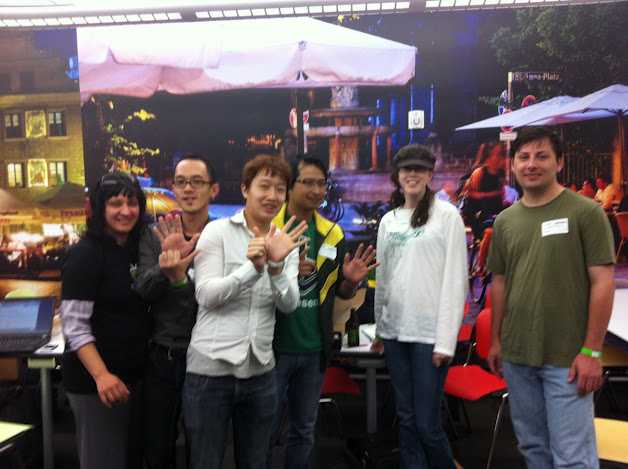
The rest of Friday night was spent figuring out the game and the basics of what we would accomplish by the end of the weekend, and setting up the development environment. The idea we settled on was a bartender displayed on the TV and the mobile phone used as a controller to instruct the bartender to perform certain actions. Two actions we determined were pouring an ingredient and shaking the drink to mix it.
It was decided that one developer would focus on the mobile app and the other on the TV app with a simple communication stream between the two devices when a gesture (pouring or shaking) was being performed.
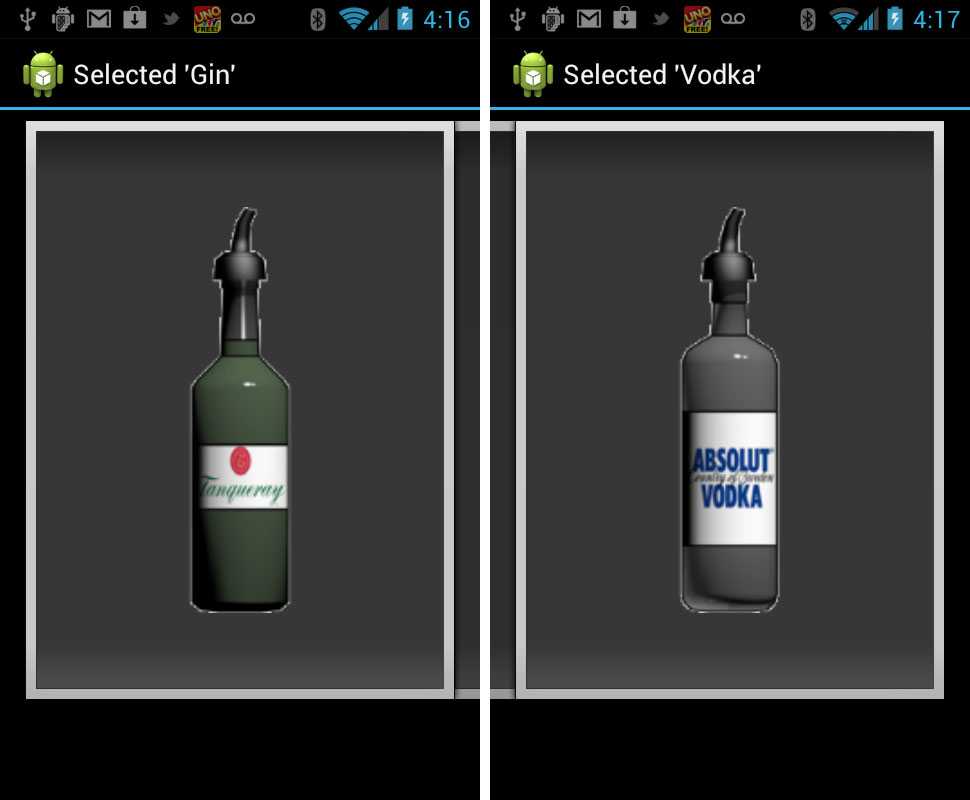
The mobile side started with an image gallery with an inventory of ingredients. With images of the three different bottles, the player could select which ingredient they wanted to pour. Swiping left or right through the inventory changed the active ingredient. Whichever image was displayed on the phone was the active ingredient poured by the bartender on the TV when the phone was turned upside down.
Next was figuring out the gestures. A simple upside down motion was decided for pouring. Shaking occurred when the vertical acceleration of the phone reached a certain threshold. The basic sensor logic was coded by late Friday night (it was sometime after midnight) using the gravity and acceleration sensors.
Saturday morning was spent refining the pouring and shaking sensor logic. The pouring logic first coded was tracking multiple points of rotation (at points where the top of the phone was pointing up, left, down left, and downward). After playing with the phone a little bit, it was only necessary to track the up and down rotation points to trigger the pouring animation. The other points can still be used in the future for a more refined real-time animation.
By Saturday at lunch time, with the mobile app working, the focus was onto the TV app and the bartender animations. To keep it simple, a signal would be received from the mobile device and the specified gesture would be animated. It was decided to skip tracking the length of time the gesture was being performed on the phone and the exact degree of rotation for simplicity. This would have added more realism, but would have made the animation and art more complex.
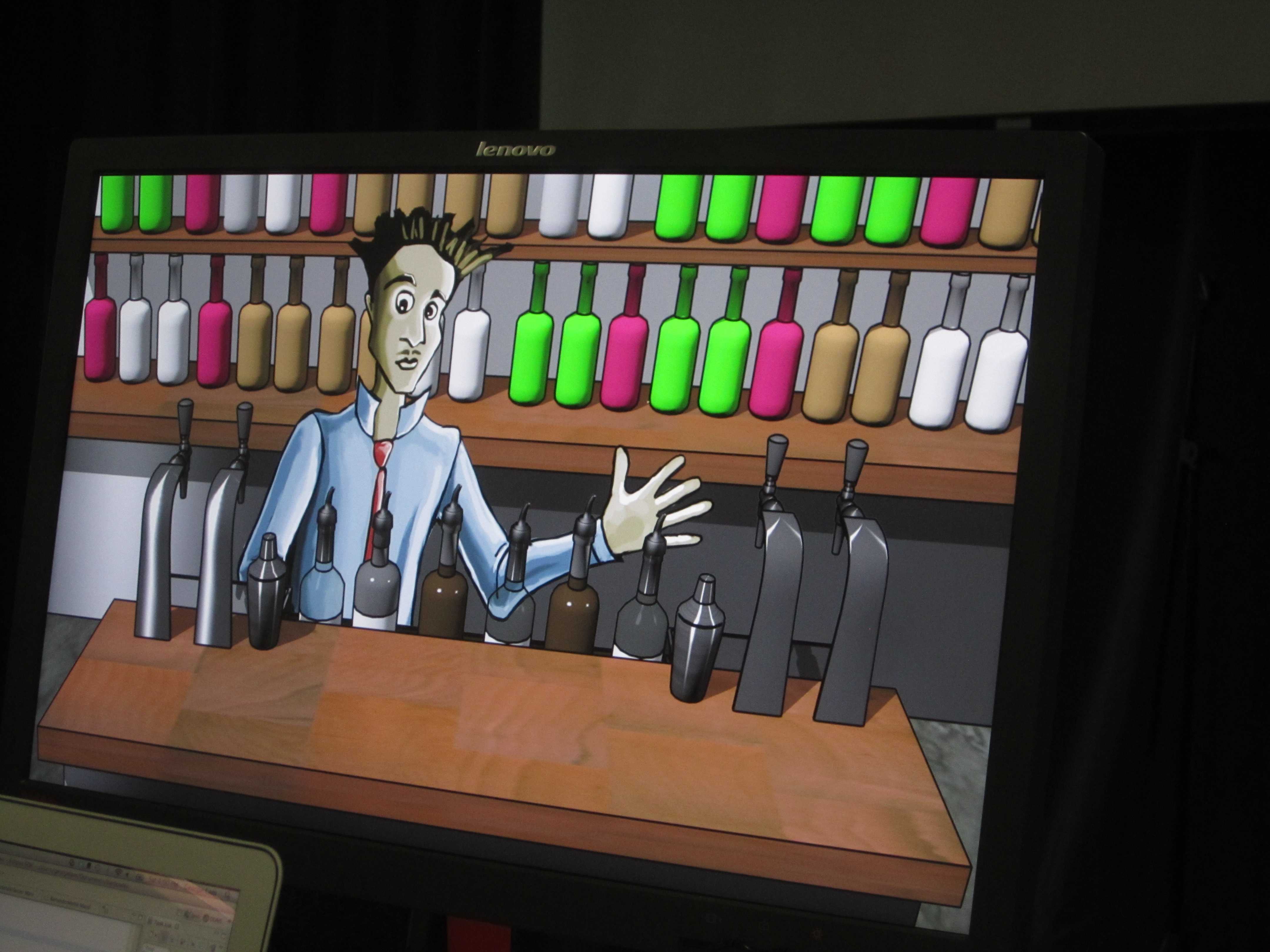
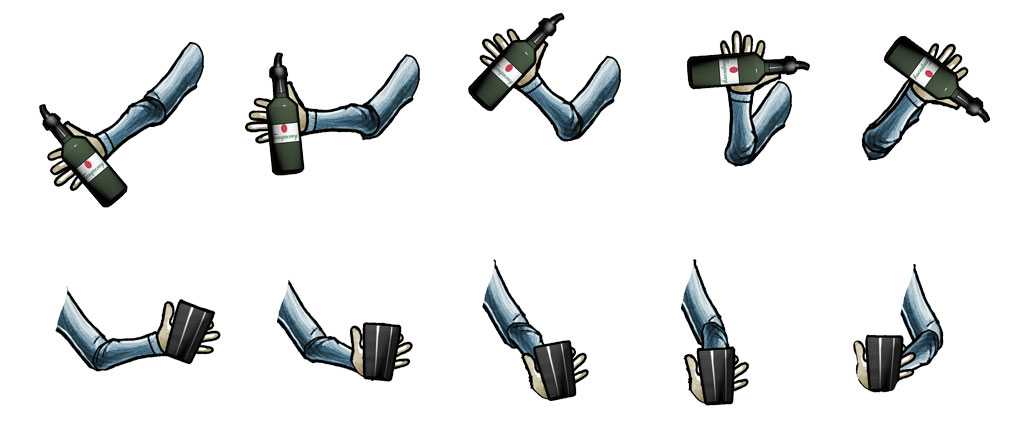
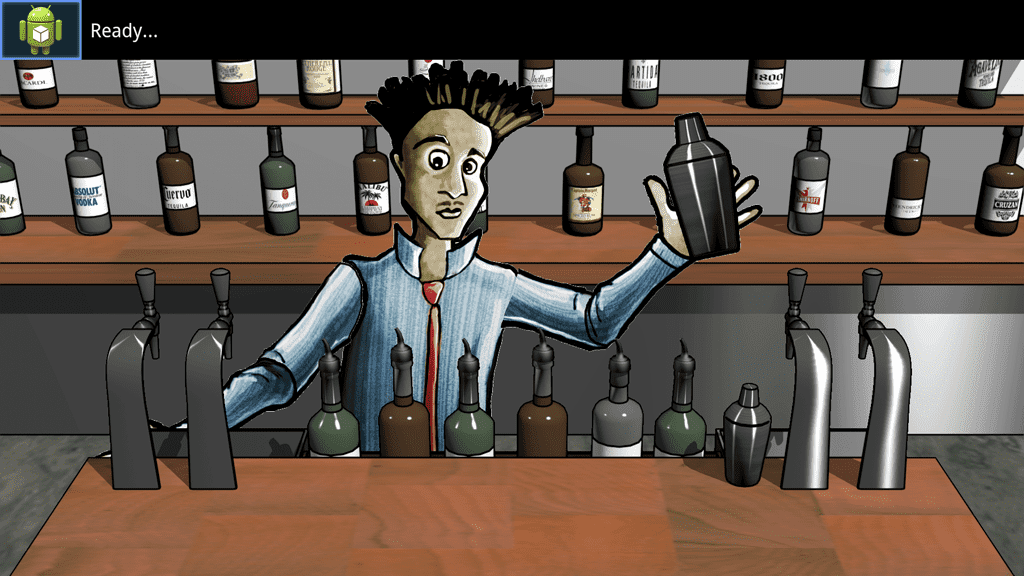
Our first animation consisted of five frames with the shaker. Each frame of the bartender shaking was the size of the full screen (1920x1080) with a transparent background and the bartender with his arm in five different positions. Three graphics were drawn for each frame of the animation: the background, the bartender (with arm changing position each frame), and the bar in front.
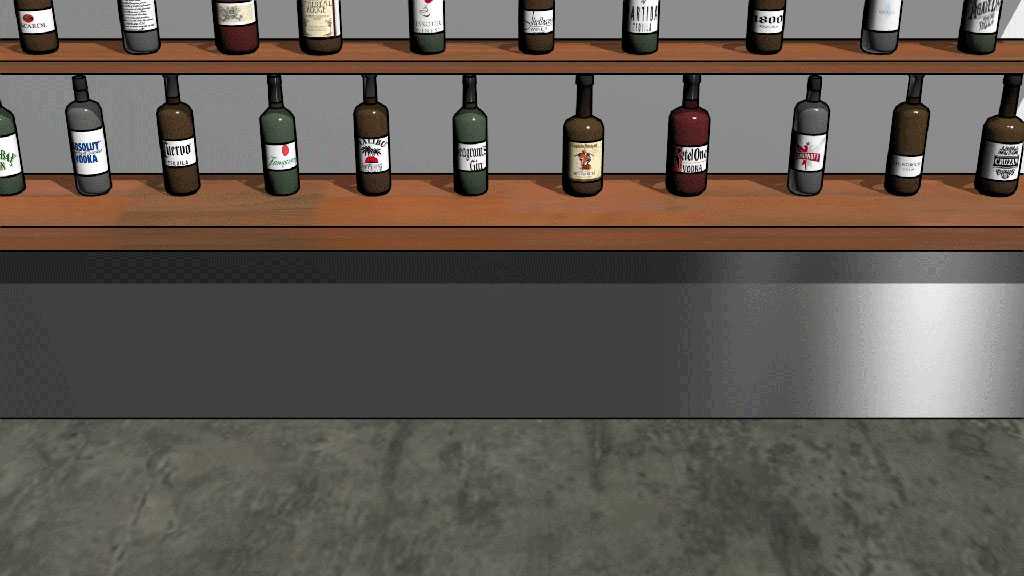
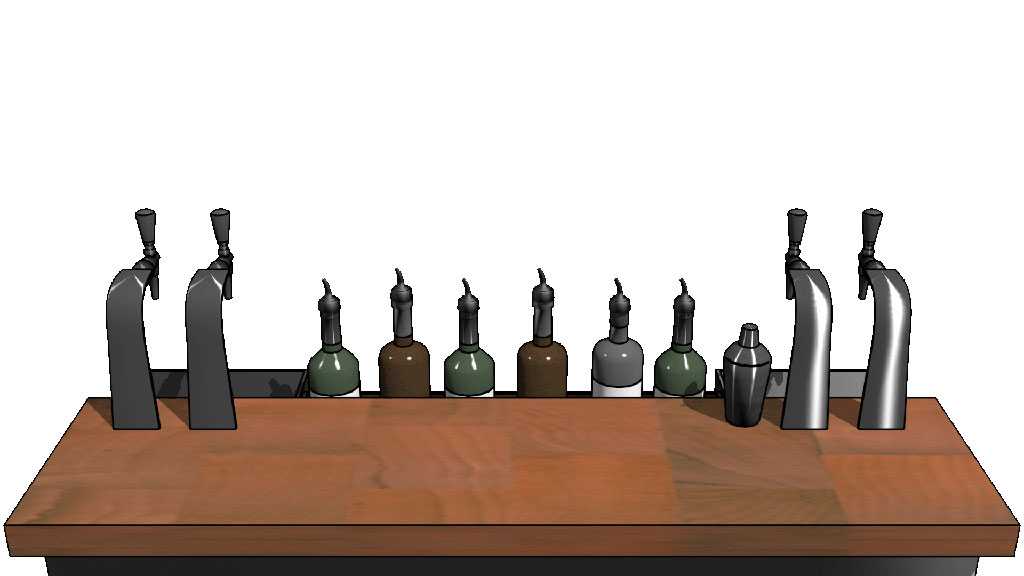
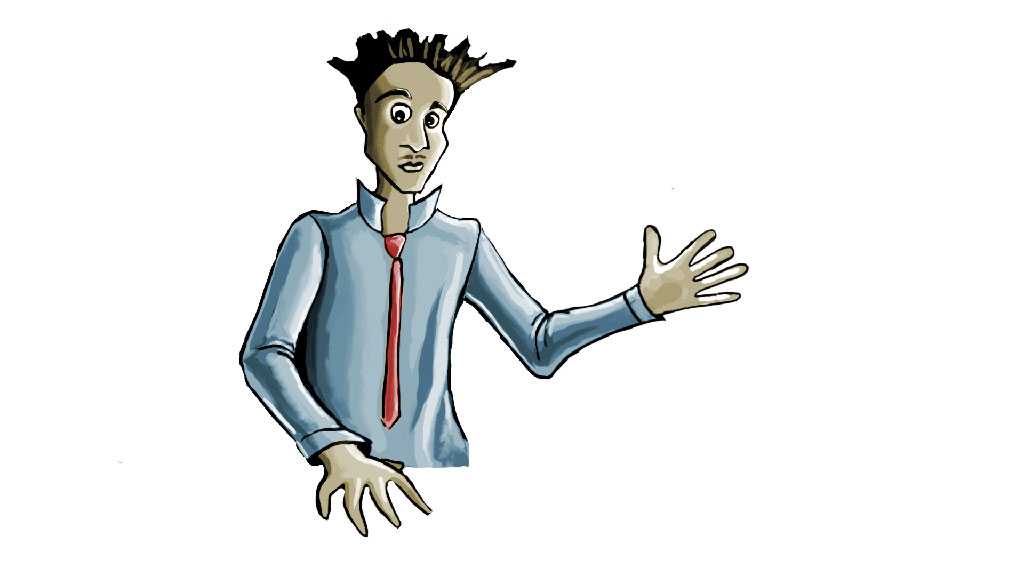
The rendering of the full screen sized images of the background, the bartender, and the bar was slow. We tried breaking the bartender into three smaller graphics (the torso, left and right arms) to speed things up, but the speed didn’t change. It instead made it easier to animate smaller regions. The torso remained stationary while the left and right arms could play different animations depending on the gesture being animated. With other things to finish on the list, the animation speed was left the fastest it could go.
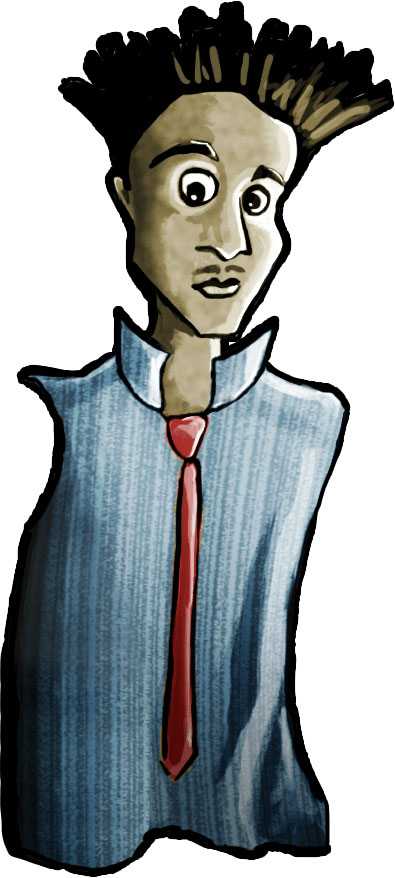
To test the animations, and keep things simple during development, keyboard key press event listeners were added to trigger different animations. This allowed for repeated testing, refinement, and playback of the different animations. An animation could be played over and over and adjustments made. This also became a unplanned feature in case the phone and TV communication failed for some reason. The animations could have been manually triggered.
By late Saturday night (again, well after midnight), the TV app had the pouring and shaking animations working, and the phone was connecting to the TV. Most of the team crashed from exhaustion on nearby Google-colored bean bags, understandable from a long day and little sleep from the night before.
While testing out a rough version with it all put together, one of the first things I noticed was that it was a little confusing after performing a gesture whether the gesture was received and what exactly was happening. I added a title bar status that changed when a gesture signal was received. This really helped in giving the player a idea of what was happening. When the status read “Ready…”, the player knew another gesture could be performed. When “Pouring…” or “Shaking…” was displayed, the player knew the gesture was registered and to wait for the animation to play. When a different item is selected from the inventory, the status bar is updated with the name of the item. The player doesn’t really have to look at the phone while playing.
At 2 a.m., it was working pretty well and I headed home.
On Sunday morning, with only hours left in the hackathon, I woke up with the idea (a little sleep can do a lot!) of one more gesture that could wrap up the simulation. Pushing the drink onto the bar. My teammates quickly created a set of frames while I figured out the logic for the gesture of turning the phone flat on its back. As I was testing the gesture, I put my phone down on the table and went back to coding. The “phone laying down” signal was be repeatedly sent, which was not the expected behavior. By reversing directions so that the front face of the phone was instead turned downward (an unlikely position for a resting phone), this simple solution allowed the phone to be put down when the player was done playing.
This last animation became a little complex as there were three different parts to it: moving the shaker down behind bar, bringing a glass up, over, and onto the bar, and finally bringing the hand back behind bar and bringing the “new” shaker back up to the “ready” position.
Since the bar is drawn last, on top of everything else on the screen, when the bartender’s arm had to move over and in front of the bottles that are part of the bar, there was a problem. During part of the animation, the arm had to be drawn last, bringing the arm in front of the bar, to prevent the bartender’s arm from magically passing through the bottles on the bar. An integer value was used in the animation sequence to toggle the order in which the two elements were drawn.
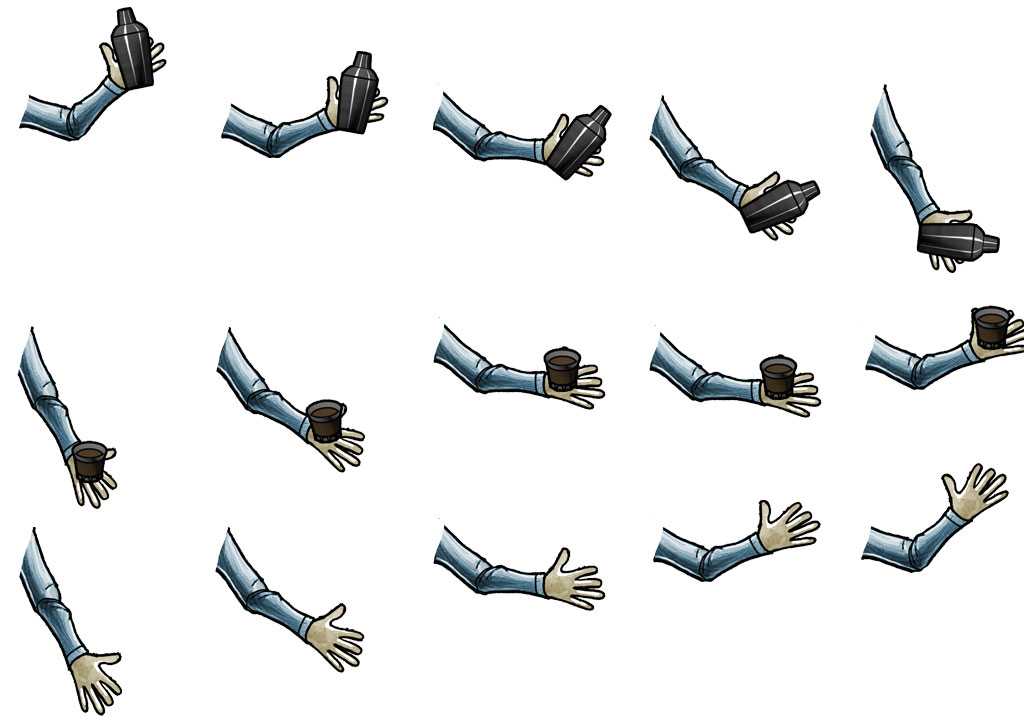
The “putting drink on bar” animation turned out to be over three times the number of frames of the other two animations and was the most complex part of the animations. At the end of that animation, we also had to add the glass on the bar at the moment between the hand having the glass and the hand not having the glass. Another integer value in the animation sequence was also used to show and later hide the glass that was left on the bar. With little time left before the deadline, a quick test that things functioned and the APK was sent off.
After testing the game on the big screen, things looked okay. Playing it on the big screen was pretty cool and has left me wanting to setup a projector of my own. The final version of the game demonstrated a proof-of-concept that a phone could be used to gesture different actions similar to using a Nintendo Wii remote and that the TV could receive and animate those actions.
Our team ended up being one of the last teams to demo. The inital “pairing” part of the game was hardcoded and was a bit flaky. The TV app had to be running and listening first. If it didn’t pair up correctly, both devices would have to be force quit and relaunched. This happened during the live demo, unfortunately. During development, a couple of times there was even an instance where the TV would pick up a connection that didn’t look like it was from the phone and might have been from the Eclipse? A real pairing flow is needed regardless since the server’s IP address will vary among setups.
The demo
Here is a video of the pitch from Friday night, followed by the demo on Sunday night.
Future improvements
Some ideas we have for future improvements include:
- Sponsored branding of the different bottles and ingredients (a form of advertising)
- Testing/training the player in selecting the right ingredients and quantity for the drink requested.
- Having multiple customers requesting drinks which the player has to remember and correctly fulfill.
When working with a team that you’ve never met before on a project that is brand new and has to rapidly evolve into something you can hopefully demo at the end of the weekend, there are a bunch of things you learn during the weekend. Here are some lessons I learned.
Good ol’ Murphy will come to watch the demo fail
The communication between the phone and the Google TV wasn’t the best. With the limited amount of time remaining before the deadline, extensive testing of the reliablity of the communication link between the devices wasn’t possible. It worked well enough most of the time. But during the live demo, the lag between the signal sent to the TV became very noticeable and at several points it became too confusing whether the signal was being sent, was being received, or was lost somewhere in between.
With a slow or no response, the player may try the gesture again relatively soon after the first gesture. This problem becomes compounded with what could then be two signals being sent close together (something that was not considered). There are ways to solve the multiple pending gesture issue. Dealing with a slow network connection is a little more complex.
Lesson learned: Keep calm during the demo and adapt to the speed of the system. On the development side, make sure the player always knows what’s happening, and what they should try if something is slow.
Use what you know; listen to others for alternate ways to do something
Hacking something together with the stuff you know can work is a good start. It will give you a base to try new things and improve upon. During meal breaks, sharing your project and implementation with other attendees can attract valuable feedback. While drawing on a Canvas is one way to animate, it was suggested to use a SurfaceView. Another suggestion was that the invalidate method can be passed a rectangular region to limit the amount of screen that needs to be redrawn. There is bound to be someone around that’s been down the road and experienced the problem themselves.
Lesson learned: Share your project and listen to what others say for ideas and better implementations.
Keep it simple
I learned this during previous hackathons. On Friday night there were a bunch of ideas from using the phone to point to a bottle on the screen all the way through the various game logistics and achievements. Keeping in mind that you have less than 36 hours to get something working, it’s important to keep the first version SIMPLE! Looking back, I think we successfully bit off just enough of the game to implement and show what the game could be.
Lesson learned: Less is more, make sure you can complete something in time for the demo.
When it’s not working, keep talking
During the demo, it is important to keep talking and describing what the product is. If the demo isn’t working, start explaning what the audience and judges should be seeing. Waiting for a visual isn’t going to be beneficial when the timer is ticking down. One of the judges mentioned this and it is a really good point.
Lesson learned: Keep talking and use words when visuals fail.
It was definitely a fun weekend of learning, playing, and meeting other people. One of the things to keep in mind about these weekend hackathons: it’s not the code you write but the people you meet. And who doesn’t love TV and a game.